If you run a small field service team, you've probably lived through this scene: a technician calls in sick, another is stuck in traffic, and the spreadsheet everyone swears by suddenly has three different versions floating around on three different laptops.
That's usually the moment small business service managers start searching for affordable field service management software instead of patching together whatever scheduling tool got them through year one. The question is whether a basic job scheduling tool is still doing the job, or whether the business has grown past what it was built for. Over the next 800 words or so, we're going to do our best to answer that question, so get yourself a brew, find a comfy seat and read on…
What's the Real Difference Between Job Scheduling Tools and Field Service Software?
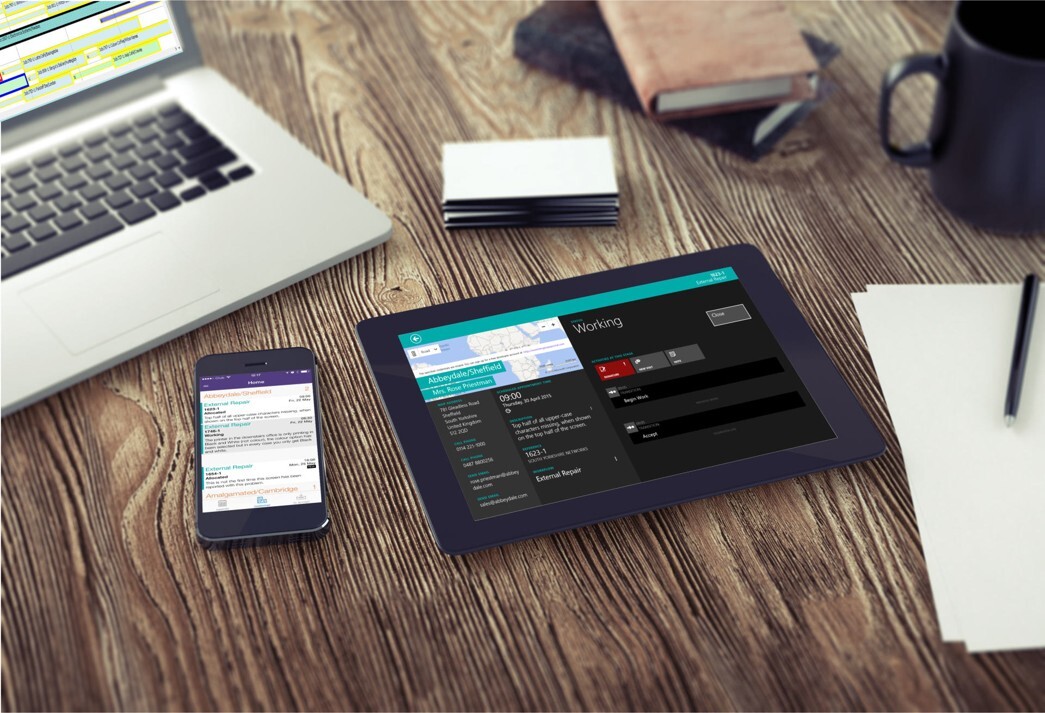
A job scheduling tool does one thing: it puts jobs on a calendar. Field service software for small businesses does that too, but it also handles dispatch, work order management, invoicing, parts and stock, customer history, and mobile updates from the field, all in one connected system. One is a diary, whilst the other is more akin to a digital operations hub.
For a two person outfit doing a handful of jobs a week, simple job scheduling software might be all you need. Once you're juggling multiple technicians, recurring contracts, and customers who expect real time updates though, it becomes less about which tool is “better” and more about the stage you're planning for.
Solarvista is both in one - a comprehensive field service management (FSM) platform, and job scheduling is just one core feature inside it. To help you understand how they connect, think of a job scheduling tool as a single cog and field service software as the entire machine.
| Feature / Capability |
Job Scheduling Tools |
Field Service Software (FSM) |
| Primary Focus |
Managing time and calendars. |
Managing the entire service business lifecycle. |
| Core Functions |
Booking appointments, assigning tasks, and creating timetables. |
Scheduling, invoicing, tracking inventory, and client asset management. |
| Field Connectivity |
Often just sends a text or email with a time slot. |
Uses a dedicated mobile app for real-time tracking, photos, and digital signatures. |
| Best For |
Solo traders or simple, desk-based appointment booking. |
Growing businesses with technicians moving between physical job sites. |
Even that single cog has more than one gear. Solarvista's appointment booking finds the best fit for a job the moment it's scheduled, ideal for reactive call-outs or one-off visits, while its batch optimising scheduler can re-sequence an entire day's or week's workload in one go, useful when you're planning routes and technician time across dozens of jobs at once.
The Hidden Cost of Manual Scheduling
Spreadsheets and simple calendar apps are cheap to start with, but that's rarely the full story. One analysis found that small business owners spend an average of five hours a week on manual scheduling alone, which works out to roughly $13,000 a year in lost productivity once you factor in double bookings, missed updates, and the time spent chasing technicians for job status.
This ties in with wider industry findings too. Research from Quixy shows that 52% of field service businesses still handle scheduling and dispatch manually, despite most technicians and customers now expecting real time updates as standard.

What Affordable Field Service Management Software Adds to the Mix
The right small business field service management platform earns its keep in the details a spreadsheet simply can't manage. According to industry data compiled by Field Service Software, businesses that adopt dedicated FSM tools see travel time drop by 25 to 35% through smarter route planning, scheduling conflicts fall by around 40%, and paperwork processing time cut by roughly 60%. First time fix rates improve as well, up 22 to 30% once technicians arrive with the right job history and parts information already in hand.
Small business adoption of this kind of software is still catching up with larger firms, sitting at around 29%, but it's the fastest growing segment in the market. That gap is exactly where the opportunity sits, whether you're moving up from a simple scheduler or starting with the fuller picture from day one.
Dispatching and Work Orders: The Small Stuff That Makes or Breaks a Day
Good technician or field agent dispatching means matching the right skills, parts, and history to the right customer, not just sending whoever's closest, then getting that information into the field before the van pulls up. Quixy's research found that 89% of customers want modern, on demand scheduling technology and many are willing to pay more for it, while nearly half of field service businesses say finding and deploying the right technician for urgent jobs remains a genuine struggle.
Work order management sits right alongside dispatch. A job that isn't logged properly, with photos, notes, and sign off captured on site, becomes a headache later, whether that's a disputed invoice or a warranty claim nobody can trace back to the original visit.
“Too many small service businesses think they have to choose between a scheduling tool that's affordable today and a system that can grow with them tomorrow,” says Paul Adams, CEO of Solarvista. “The businesses that scale well are usually the ones that picked a platform built to do both, so they're never stuck outgrowing it.”

Choosing a System That Grows With Your Business
A few questions are worth asking before you commit to anything:
- Can it handle dispatch, work orders, and invoicing without needing three separate tools bolted together?
- Does it work properly on a technician's phone, out in the field, without a signal?
- Can it flex as you add technicians, services, or entire new business lines?
Mobile field service tools matter more than most small businesses expect at first. However, field agents who can update job status, capture signatures, and check stock from their phone spend less time driving back to the office and more time earning.
Quick Answers
Is field service software worth it for a small team? Generally, yes, once you're managing more than a couple of technicians or juggling recurring contracts. The time saved on scheduling and admin usually covers the cost within months.
What's the main difference between scheduling software and field service management software? Scheduling software books jobs. Field service management software connects scheduling with dispatch, work orders, invoicing, and mobile updates in one system built to scale.
See It for Yourself
Whether you need straightforward job scheduling today or the full field service management picture as you grow, Solarvista brings dispatch, work order management, and mobile field service tools together in one affordable platform, alongside a no-code application builder that lets you shape the system around your business rather than the other way round. It's a genuine 2-in-1: field service management and a no-code platform, built to grow with you, so you're never stuck between what works now and what you'll need later. Sound like something that could benefit your business? If so, then book a free 60 minute demo and see how Solarvista could work for your team.


 Emma James

 Emma James : Jun 24, 2025, 9:15:00 AM