On June 3rd we will be launching an update to the production Solarvista web portal with the following new features.
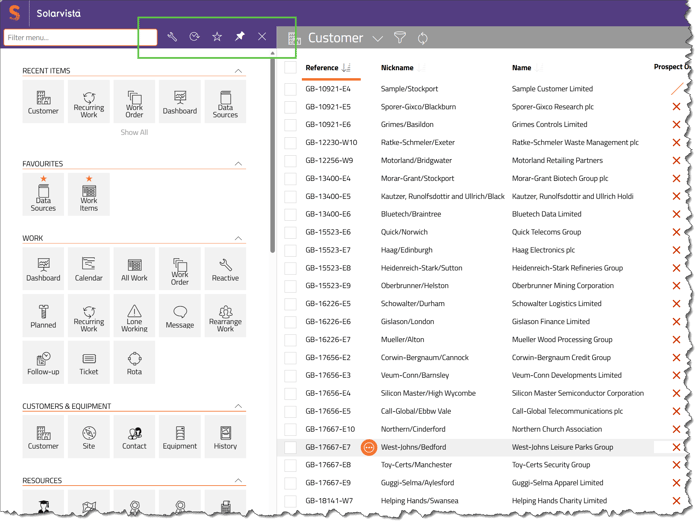
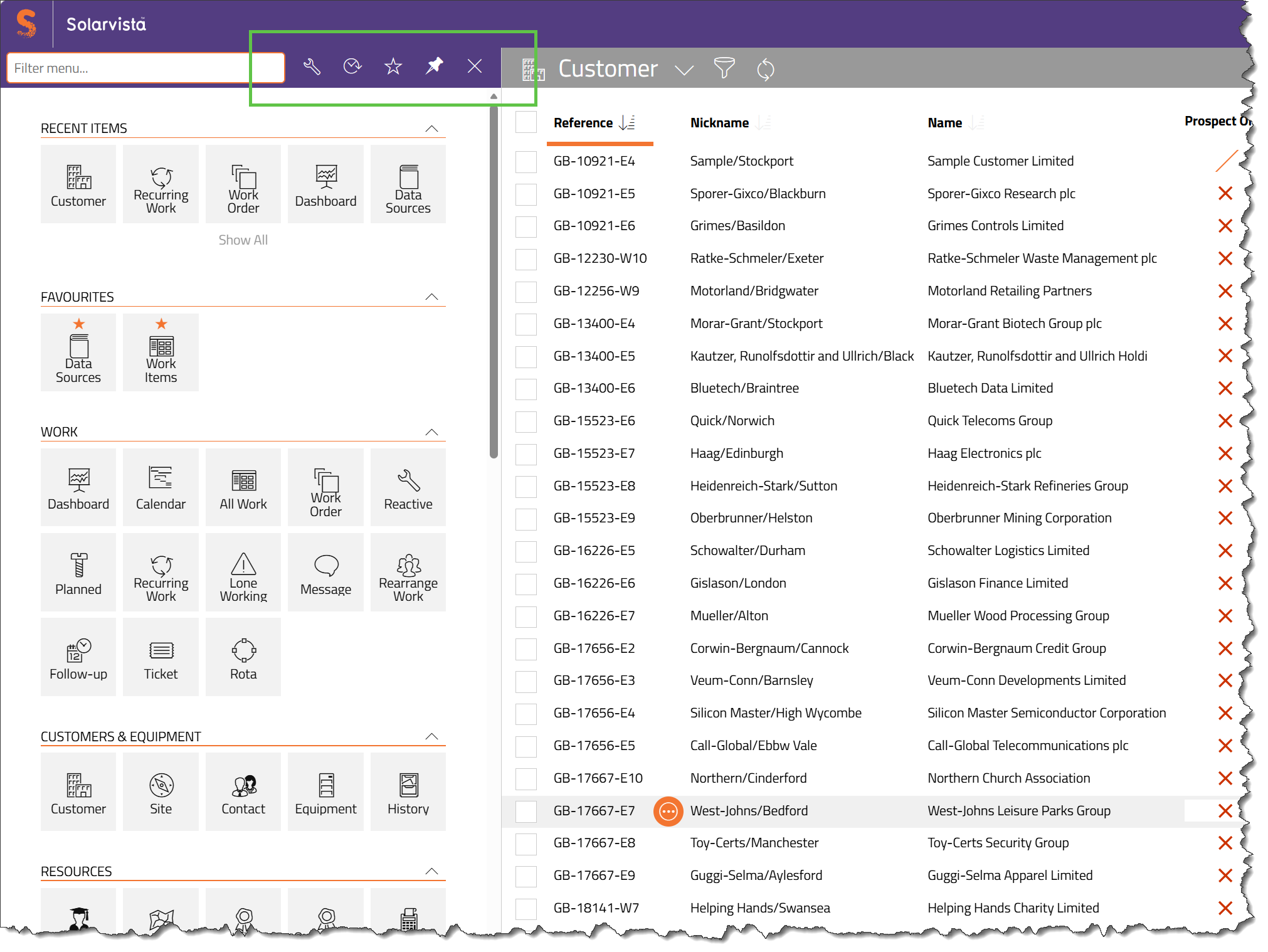
Pinning open the Main Menu.
You will be able to keep the menu open and pin it so it quicker to access. Click on the pin icon to pin it open (and click again to unpin).
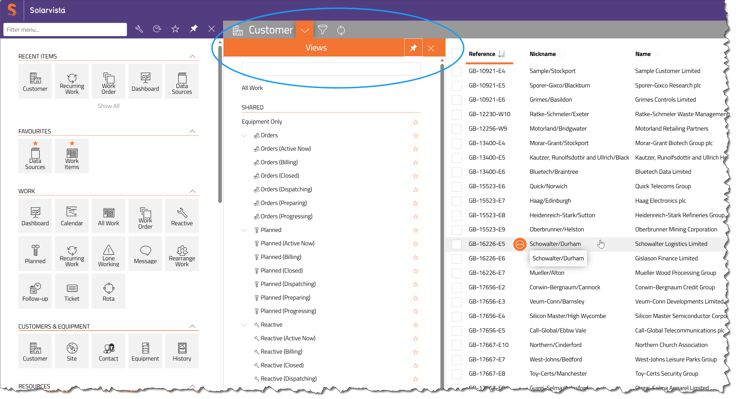
Pinning open Quick Views menu.
For those users with a large number of Views, the views menu pane can also be pinned open by opening the Quick View menu and then clicking on the pin icon.
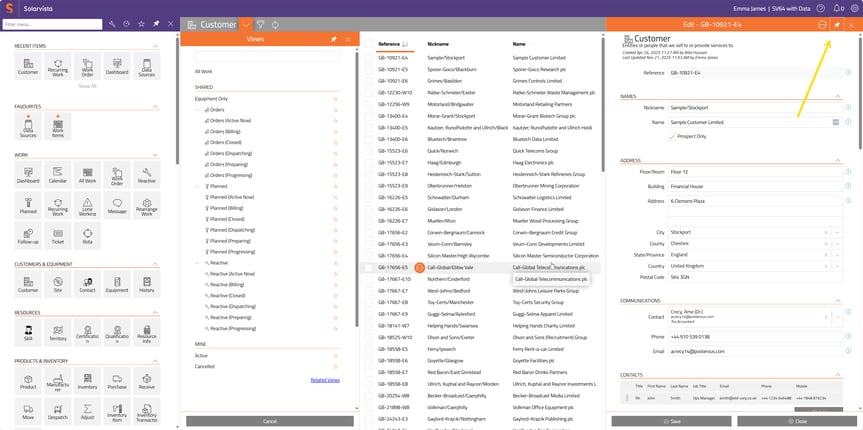
Pinning open record pane (“slide-in”).
Likewise the record pane, often referred to as the "slide-in" can also be pinned open. The view list appears in the middle pane. In example below, all three panes are pinned open.
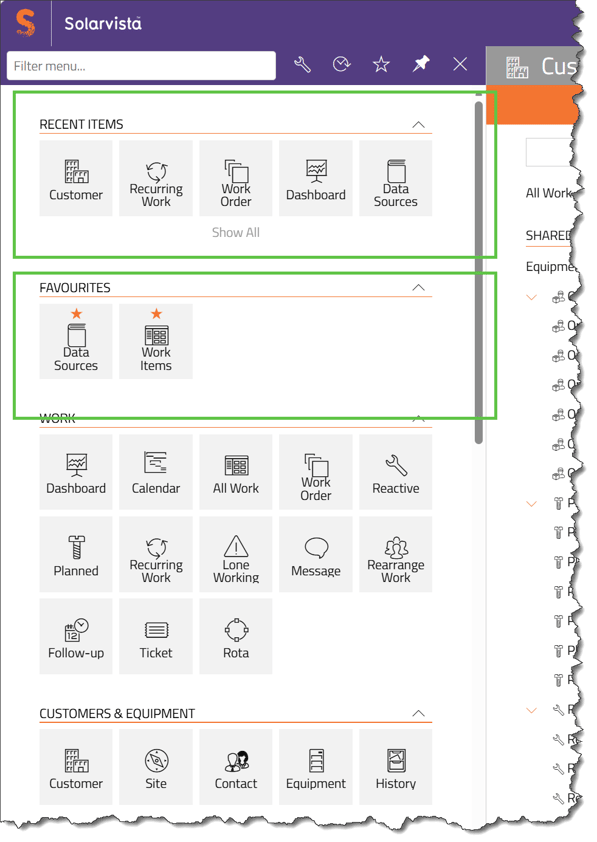
Favourites and Recent menu options.
Option to have Recent Items and Favourites at the top of your menu.
More tiles for dashboards.
It will be possible to add more tiles to dashboards, in more flexible combinations.
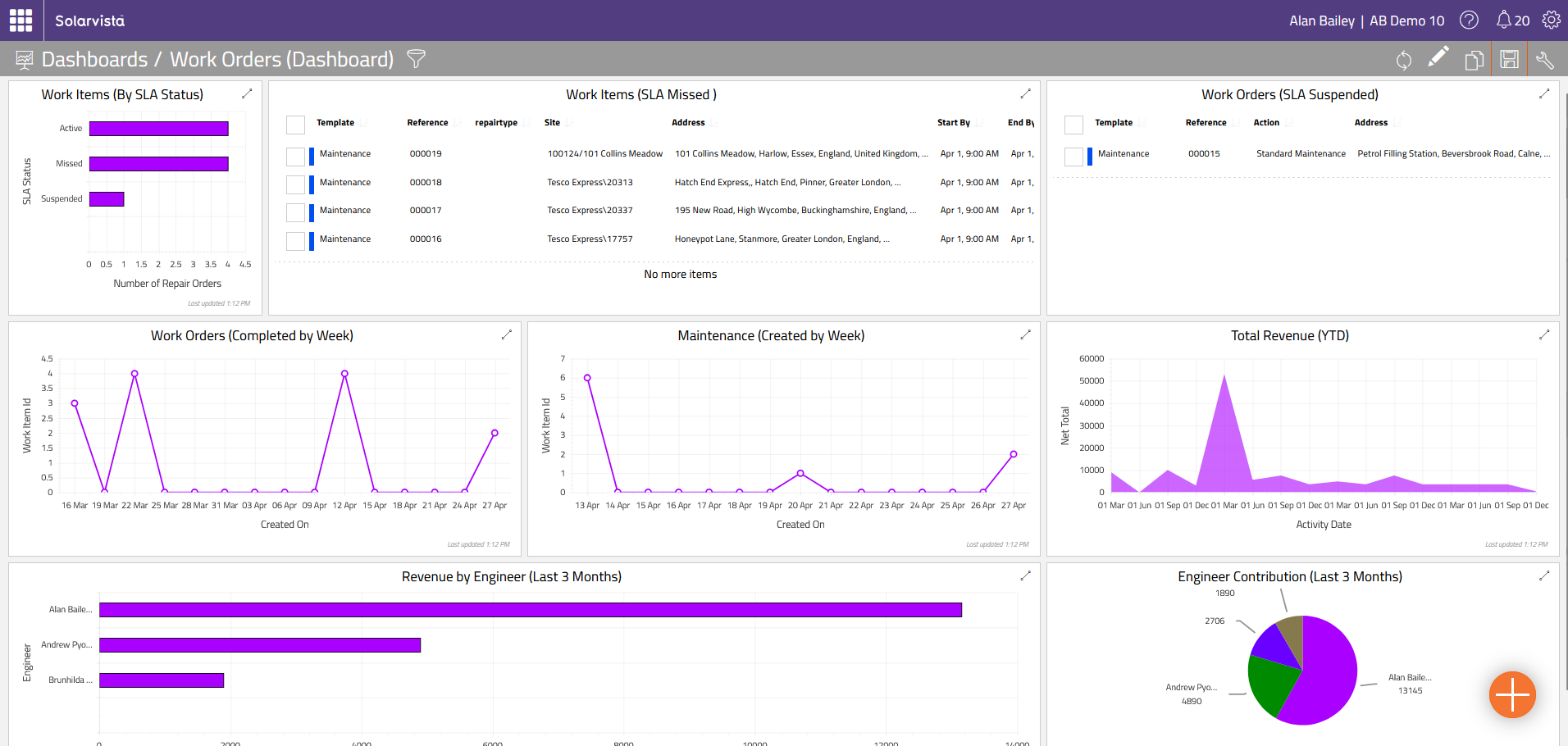
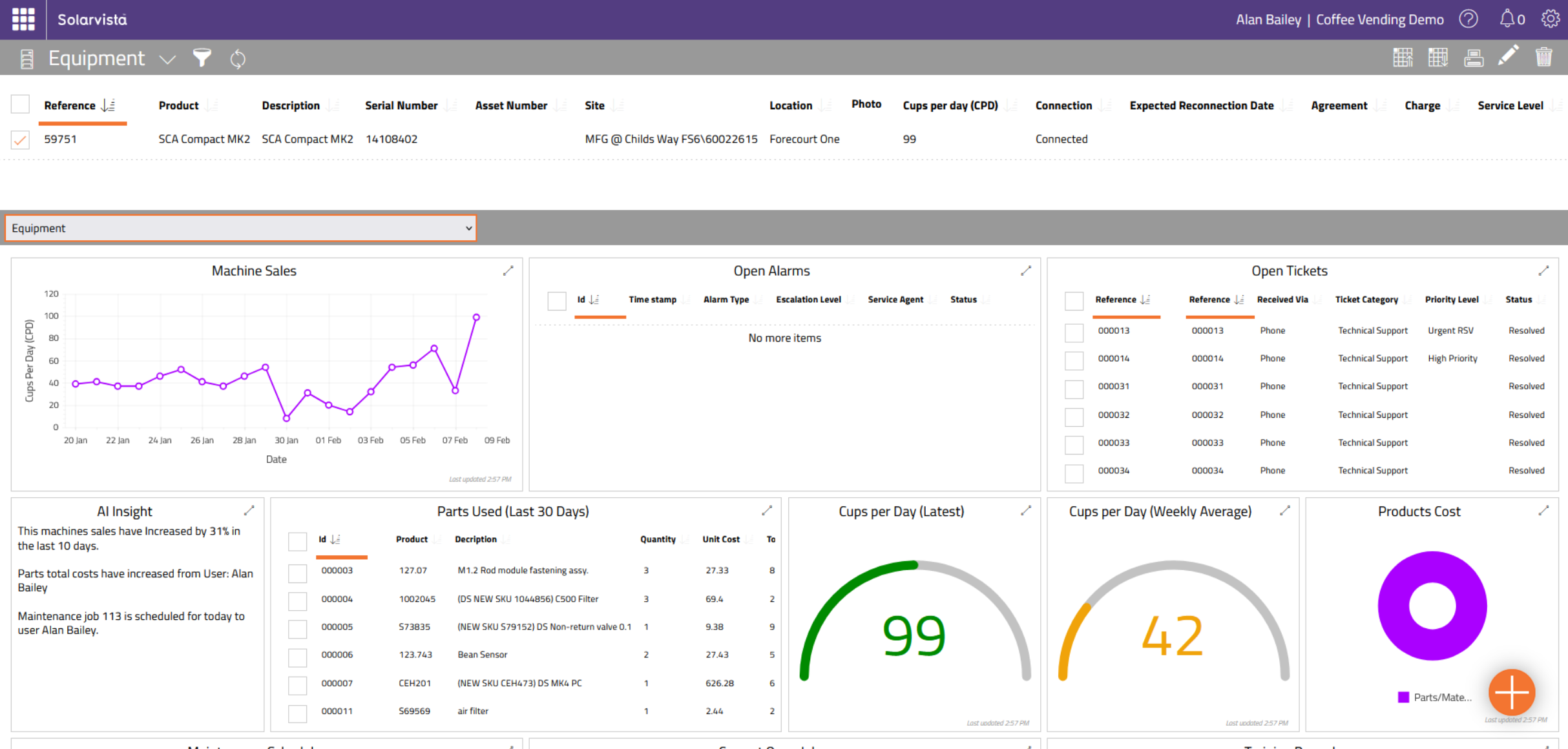
Contextual dashboards.
In addition, dashboards can be designed to be launched from any data source record, or work item and use that as context for the dashboard. For example, a dashboard for a specific customer, or project, or item of equipment etc.
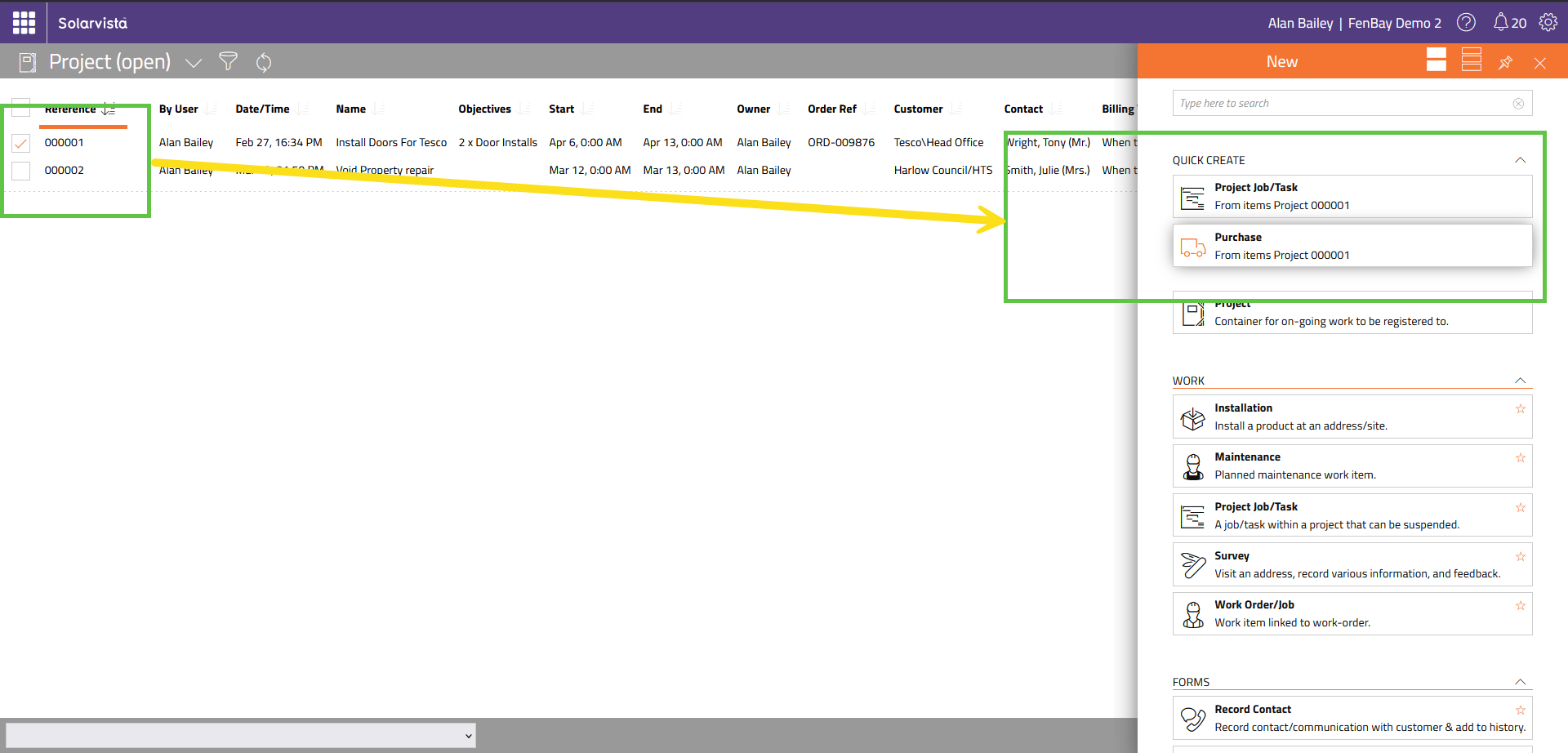
Quick create function.
Configure options to create new entities from a selected item. For example, select a Project, then create a Work Item or Purchase, in just a few clicks.
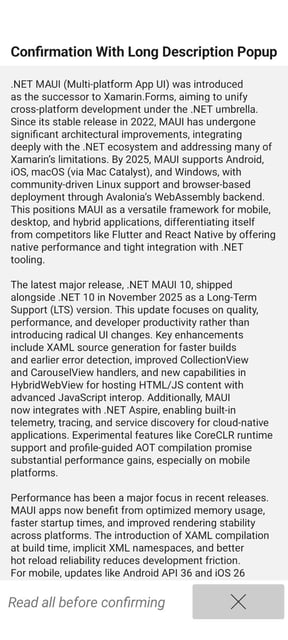
A new Confirmation control for mobile .
A new control to force users to perform an action which is verified by the app such as reading/scrolling through text instructions and confirming that they are read.
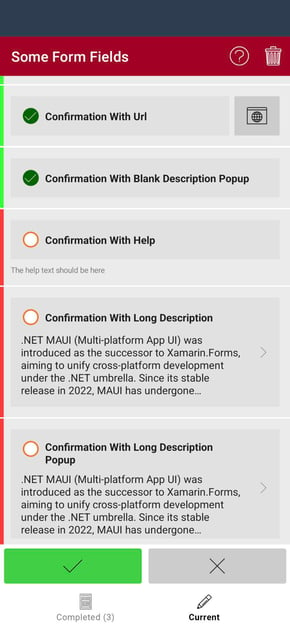
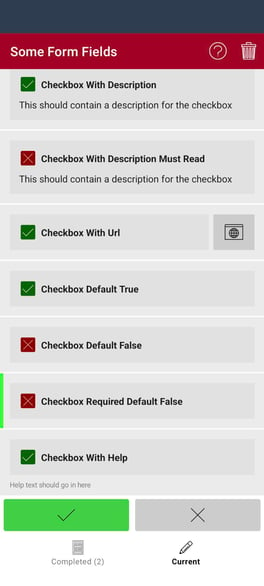
Updated checkbox control (V2) for mobile.
A new checkbox control for mobile app offers many more combinations including checkboxes with descriptions, and variations of defaults.
Other features include...
-
Main Menu options can be controlled by User Security Groups so different groups see different options.
-
Dynamic Expressions to control whether integration actions trigger.
-
Clone button for duplicating data source records or work items.
-
Inline context menu on views/records (launches actions or context dashboards).
-
Custom filters on data source record picklists.
-
Improved, easier to use security configuration.
To learn more about how you can use these feature on your Solarvista system/account, contact your support representative.


 Emma James
 Emma James : Jun 12, 2023, 11:48:59 AM